
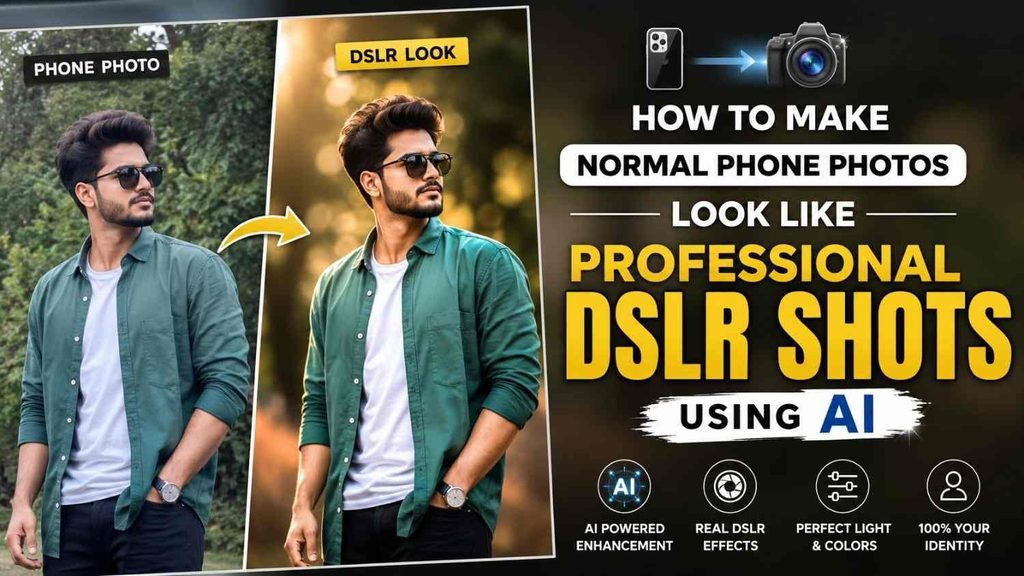
If you use fast time in artificial intelligence how to make normal phone photos to DSLR photo editing using AI. At first you keep few pro tips that can provide your results 10X better
Always do not tell “Do not smooth skin” because AI do not turn you into a plastic beauty-parlor doll. Add “Natural skin texture with visible pores” to your prompt so your skin still looks realistic and natural.
When uploading photos to ChatGPT or Midjourney, try to provide 2–3 clear photos of yourself from different angles. This helps AI understand your need and make better and reduces the chances of unwanted face.
How to Make Normal Phone Photos to DSLR photo editing using AI
Step 1: Choose the Right AI Tool
Go to any one good multimodal AI tool that allows you to upload, edit, or generate images. Few popular options:
Step 2: Upload a Clear Photo
Make sure the photo you upload is clear and well, especially around your face and eyes. Please Avoid images that are too blurry, dark for the best results.
Step 3: Copy and Paste the Prompt
“Choose the look you want from the prompt list below. Simply copy the prompt exactly, paste it along with your photo, and hit send. The AI will use your image as a reference and create the desired look”
Best 7 Master Prompts
1. DSLR Look
“Transform my uploaded photo to look like it was captured with a high-end professional DSLR camera paired with an 85mm prime lens at f/1.8 aperture. Strictly preserve my exact facial features, bone structure, expression, body proportions, clothing, and unique identity unchanged. Enhance the image with authentic depth of field, creamy background blur (bokeh), balanced exposure, natural optical lens characteristics, and subtle subject separation. Retain realistic human skin texture with visible pores and fine details. Apply natural color grading without artificial plastic smoothing, excessive retouching, or AI-generated artifacts.”
2. Cinematic Photography Upgrade
“Give my uploaded photo a high-end cinematic photography treatment, as if it were a still from a 35mm motion picture film. Preserve my exact identity, face shape, eyes, body proportions, clothing, and natural appearance 100%. Masterfully adjust the lighting direction with soft cinematic highlights, rich natural shadows, volumetric depth, atmospheric mood, and professional color grading inspired by Kodak film tones. Keep all lighting, reflections, textures, and visual details physically realistic, avoiding any cartoonish, over-saturated, or artificial AI look.”
3. Luxury Editorial Photoshoot
“Upgrade my photo into a luxury editorial fashion portrait worthy of a high-end magazine cover. Strictly preserve my exact face, facial structure, expression, body proportions, skin tone, and authentic identity without alteration. Elevate the scene with high-contrast studio softbox lighting, crisp details, professional color calibration, balanced dynamic range, and premium background separation. Keep natural skin imperfections and realistic skin texture intact. Deliver a polished, sophisticated, and high-fashion editorial aesthetic without making the image look overly retouched or artificial.”
4. Professional Night Photography Upgrade
“Transform my uploaded photo into a crisp, professional low-light night photograph. Keep my face, body, clothing, proportions, expression, and natural identity completely unchanged. Reconstruct realistic nighttime lighting with soft ambient streetlights, subtle neon reflections, moody shadows, and smooth highlight roll-offs. Reduce camera noise while strictly preserving natural skin texture, visible pores, and fine details. Avoid any plastic-looking glow, artificial skin smoothing, or fake AI lighting. The final image should look authentic, atmospheric, moody, and physically realistic.”
5. National Geographic / Travel Photographer Edit
“Edit my photo as if it were captured on location by a professional travel photographer. Preserve my exact identity, facial anatomy, clothing, body proportions, and natural expression. Enhance the surrounding environment with authentic golden-hour lighting, rich environmental textures, realistic atmospheric depth, and balanced natural colors. Make the background feel immersive and alive while keeping me naturally integrated into the scene, sharp, realistic, and true to life.”
6. Magazine Cover Quality Portrait
“Re-render my uploaded portrait to match the visual quality of a premium magazine cover photoshoot. Do not alter my facial structure, eye shape, smile, body proportions, or unique personal features. Enhance the tonal range, micro-contrast, background bokeh, and natural catchlights in the eyes. Keep realistic human skin texture, visible pores, and natural details fully intact without aggressive beauty filters, excessive retouching, or AI smoothing. The final image should look elegant, sophisticated, hyper-realistic, and professionally captured with a high-end medium-format camera.”
7. Intelligent AI Problem Solver (Auto-Fixer)
“Act as an expert high-end photo retoucher and colorist. Thoroughly analyze my uploaded image and identify issues with exposure, white balance, chromatic aberration, harsh shadows, blown-out highlights, distracting background clutter, and image softness. Fix only the elements that genuinely reduce the photographic quality. Absolutely preserve my exact face, body structure, clothing, identity, and natural skin texture. Maintain realistic details and proportions throughout. The final result should look like a clean, professionally captured, high-quality RAW photograph—not an over-processed digital render or artificial AI-generated image.”